
John Hultgren Photography has partnered with SmugMug and White House Custom Colour to print, ship, and process the payment for your online orders. At art shows, we only have a limited number of photographic prints available at the show in a limited number of sizes, but when you order art prints online, all of our photos are available in many different sizes.
Online orders are accomplished quickly, easily, and securely with our safe shopping cart and secure checkout. We offer a wide variety of photographic print finishes and sizes, from small to super-sized, in 70 different sizes.
Ordering online is quick and simple: 1) Browse our photo galleries. 2) Select an image to purchase. 3) Click on the BUY button to add the photo to your shopping cart.
Keep in mind that our photographs do not always perfectly fit every print size that we offer, and may need to be slightly cropped. Most of our photographs have a 3:2 aspect ratio, meaning their width is three units for every two units of height (or vice versa for portrait), a common standard for digital cameras and 35mm film that fits perfectly onto standard prints without cropping. Our older photographs that were taken with 120 film, and our wide large-megapixel panoramic photos, have different aspect ratios. Depending on the size of the paper your photograh will be printed on, not all photographs will fit and some cropping will be necessary. Still, you can control where the cropping will be made and we will walk you through the steps below.
Unfortunately, you cannot avoid cropping if the photo doesn't perfectly fit. If you wish to purchase a specific size print and don't want any part of the photo lost to cropping, please contact us. We can create a special order for you for the specific print size you want with some extra white space added to the long side so that no part of the original image is lost to cropping. The image will still reach the edge of the photographic print on the longer width, but we will add some extra white space to the shorter height edges. You can always have your framing company create a custom mat with the opening cut a little smaller to obscure the additional white space. This will look normal, but you will end up with a print just as wide but a little bit shorter. Please don't hesitate to ask if you have any questions or need some help!
You don't need an account to buy prints.
You'll find a BUY button beside each photo. To begin adding a photo to your shopping cart, click the Buy button. A few additional steps will be needed to complete your order.
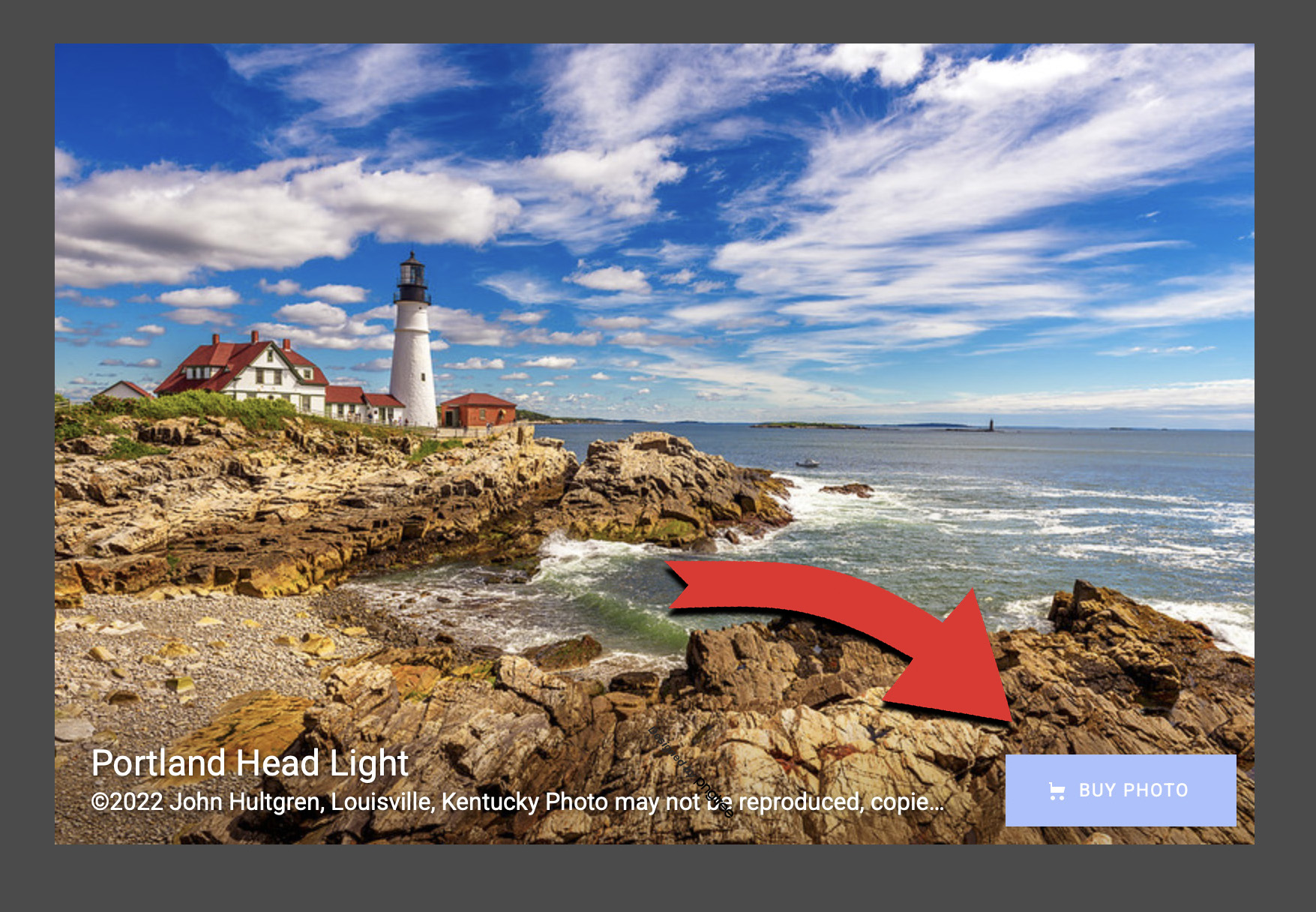
Start to select the size of the photographic print you would like to purchase.
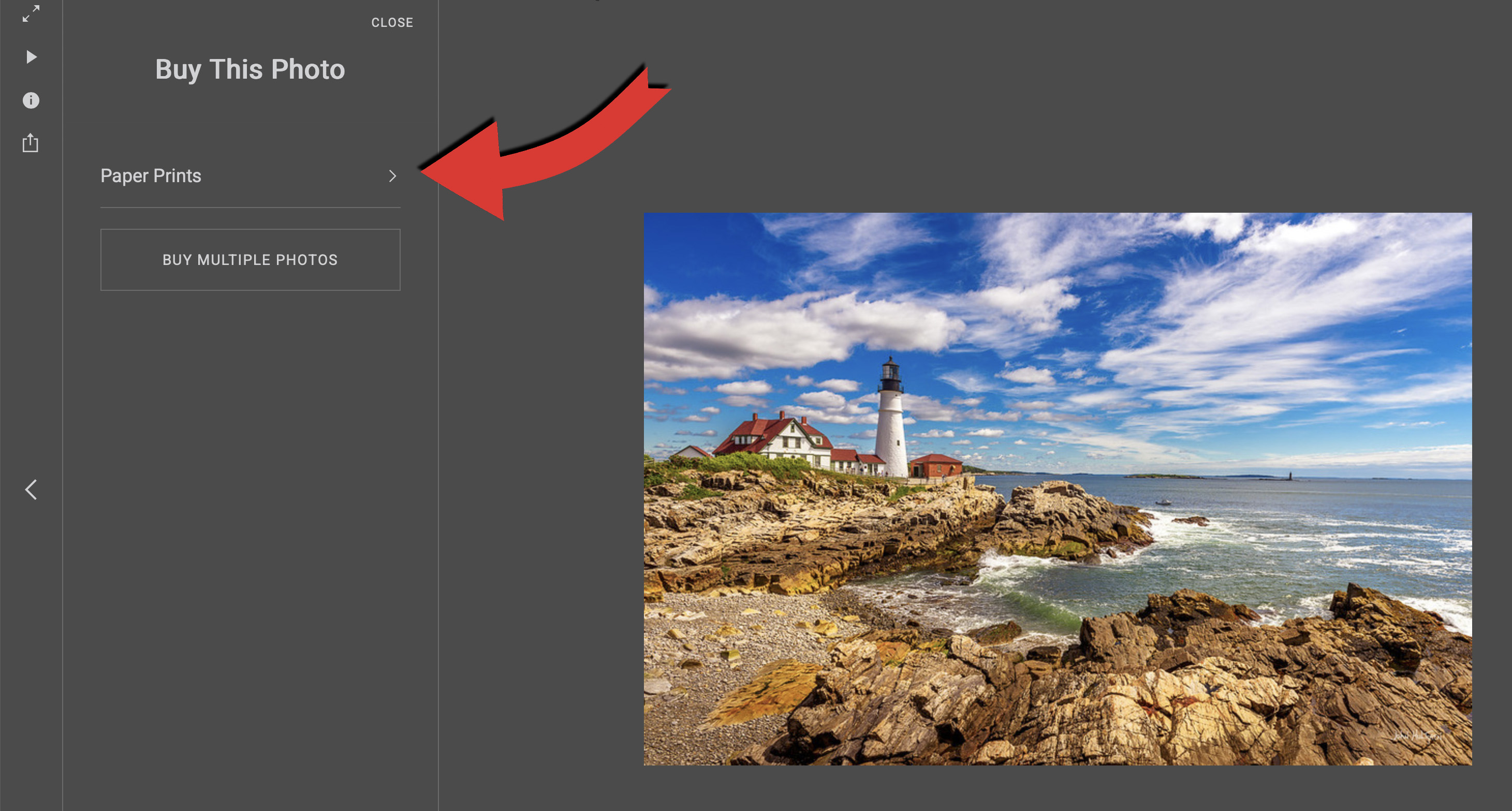
You can choose from rectangular sizes or square sizes.
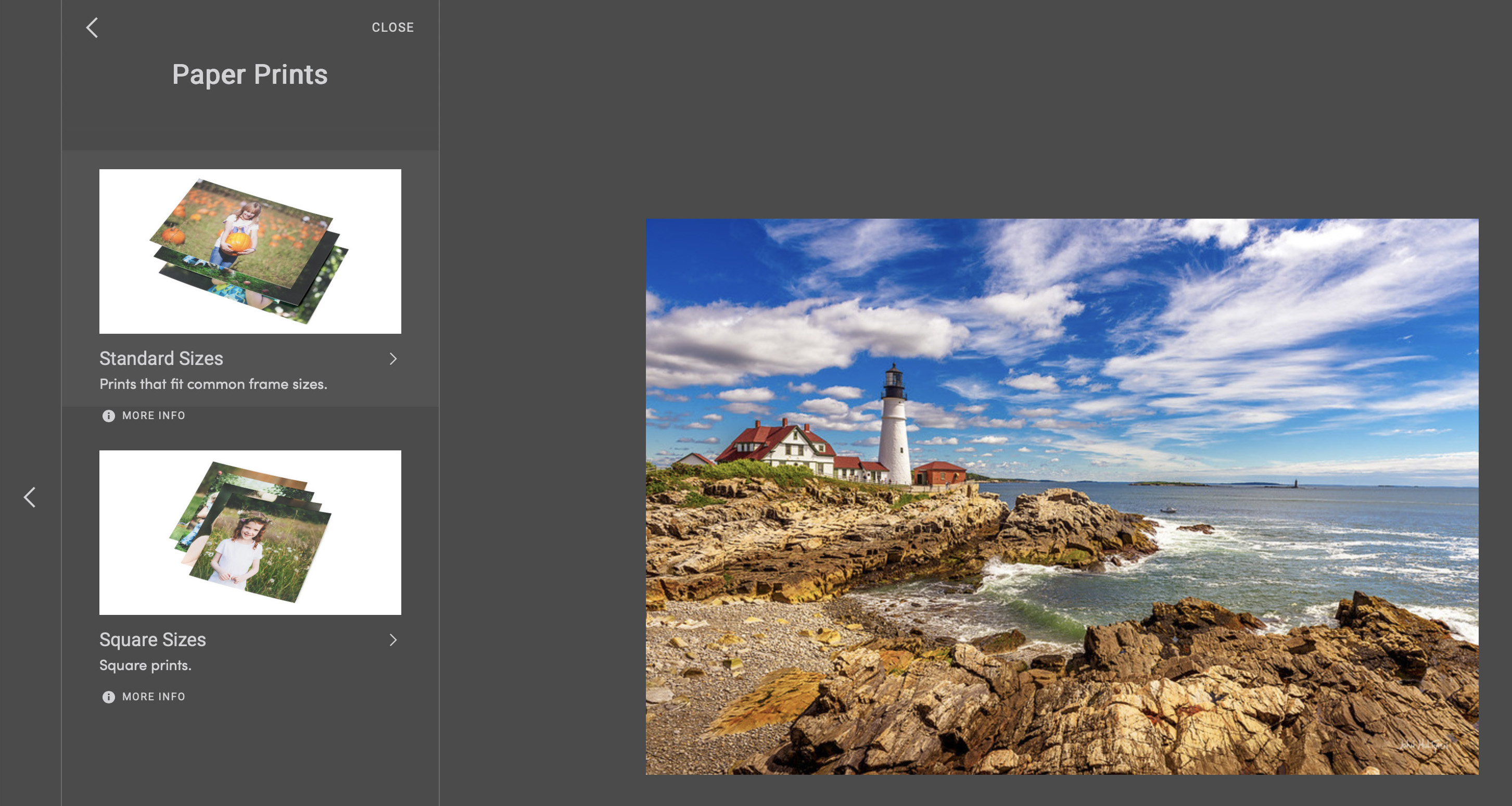
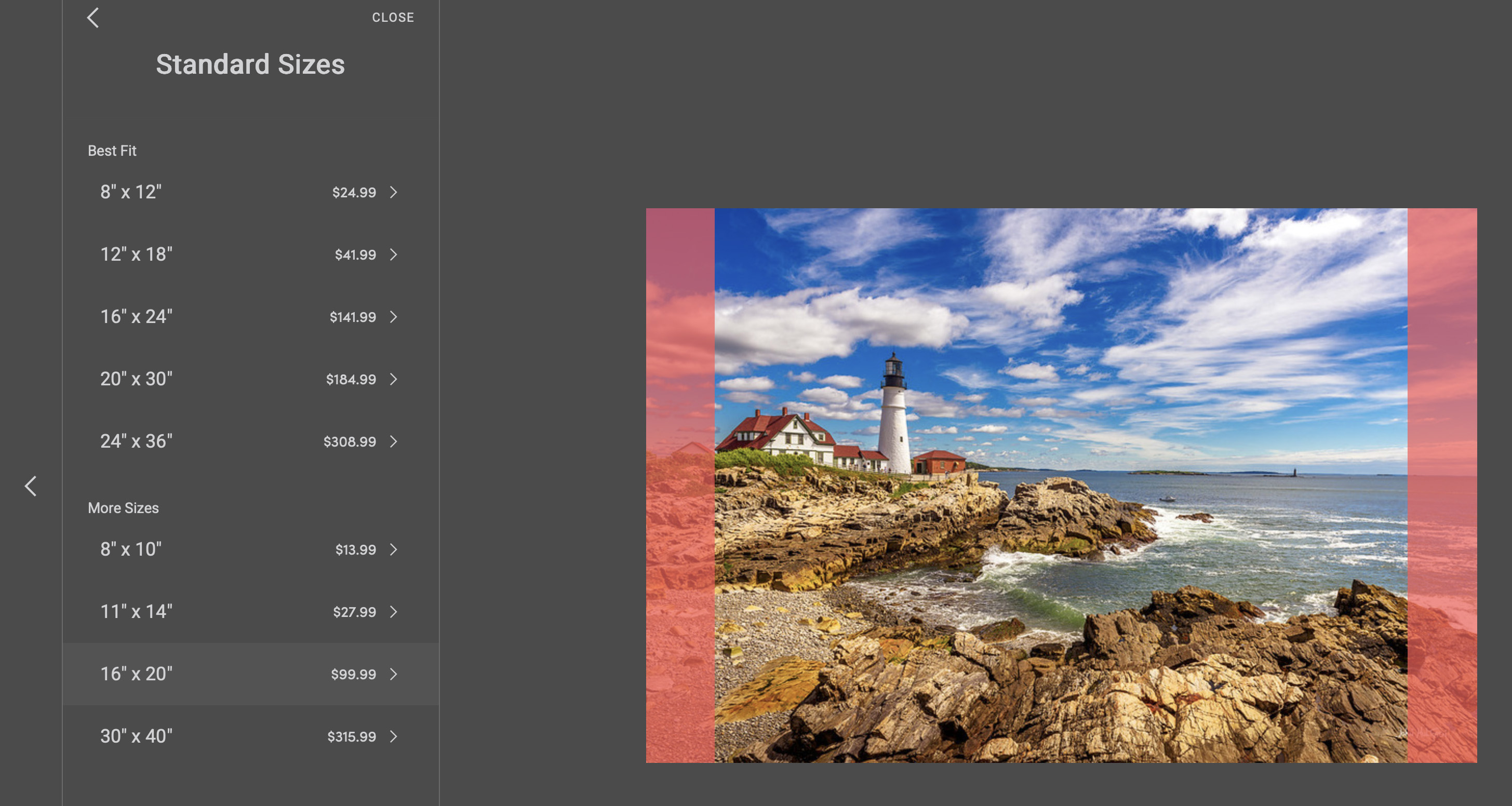
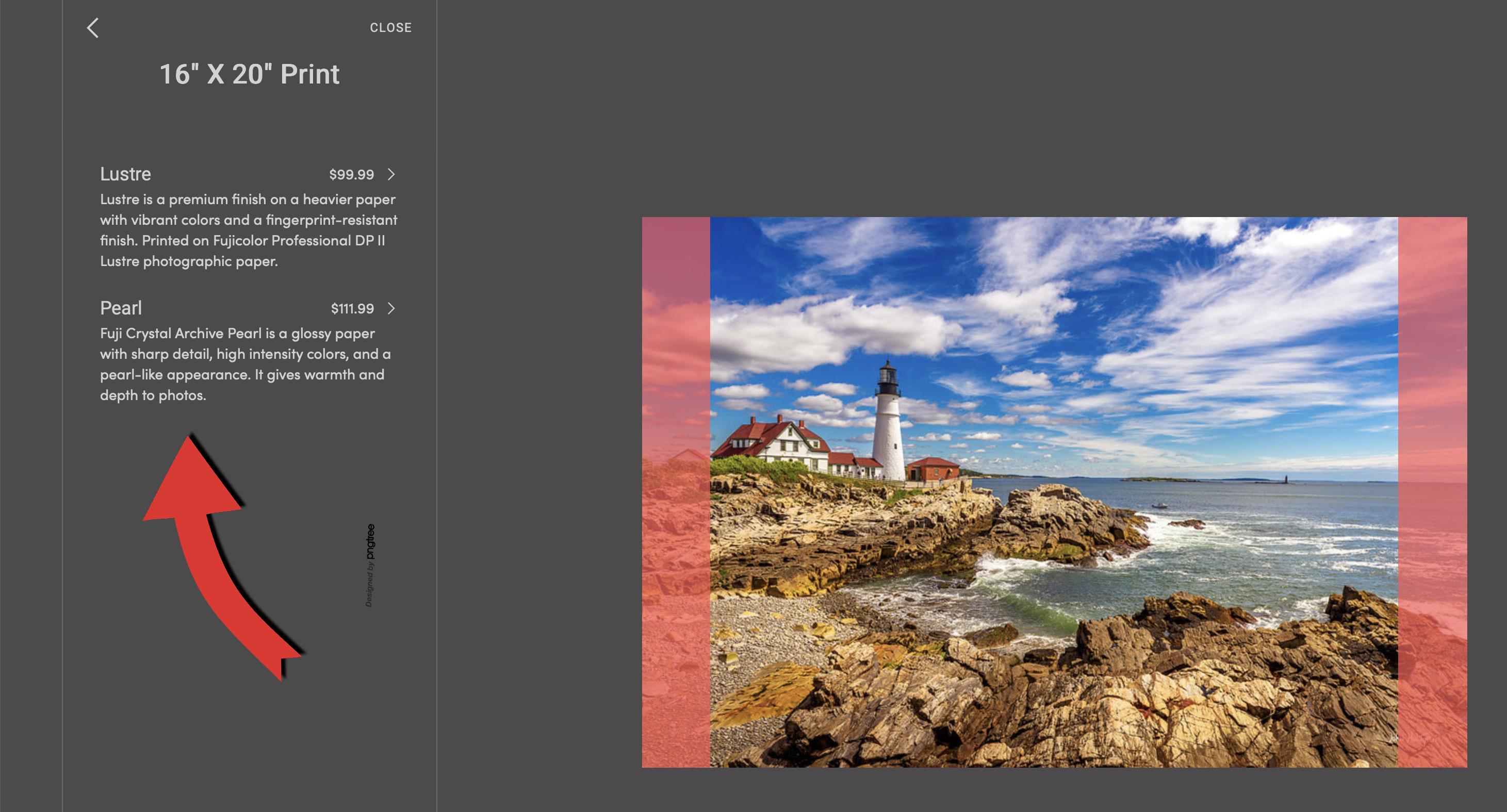
In this example, we have selected to choose from rectangular sizes. Print sizes that will fit best for the photo you have selected are listed at the top under "Best Fit." Other print sizes that will require some cropping are listed under "More Sizes." In this example we have selected 16" x 20", which does not fit the aspect ratio for this photo so some cropping will be required on the sides as indicated by the red shading, but you can adjust where the cropping will be made.
If more than one type of paper is offered for the size that you have selected, pick the type of paper that you wish to use. Note that some papers are more expensive.
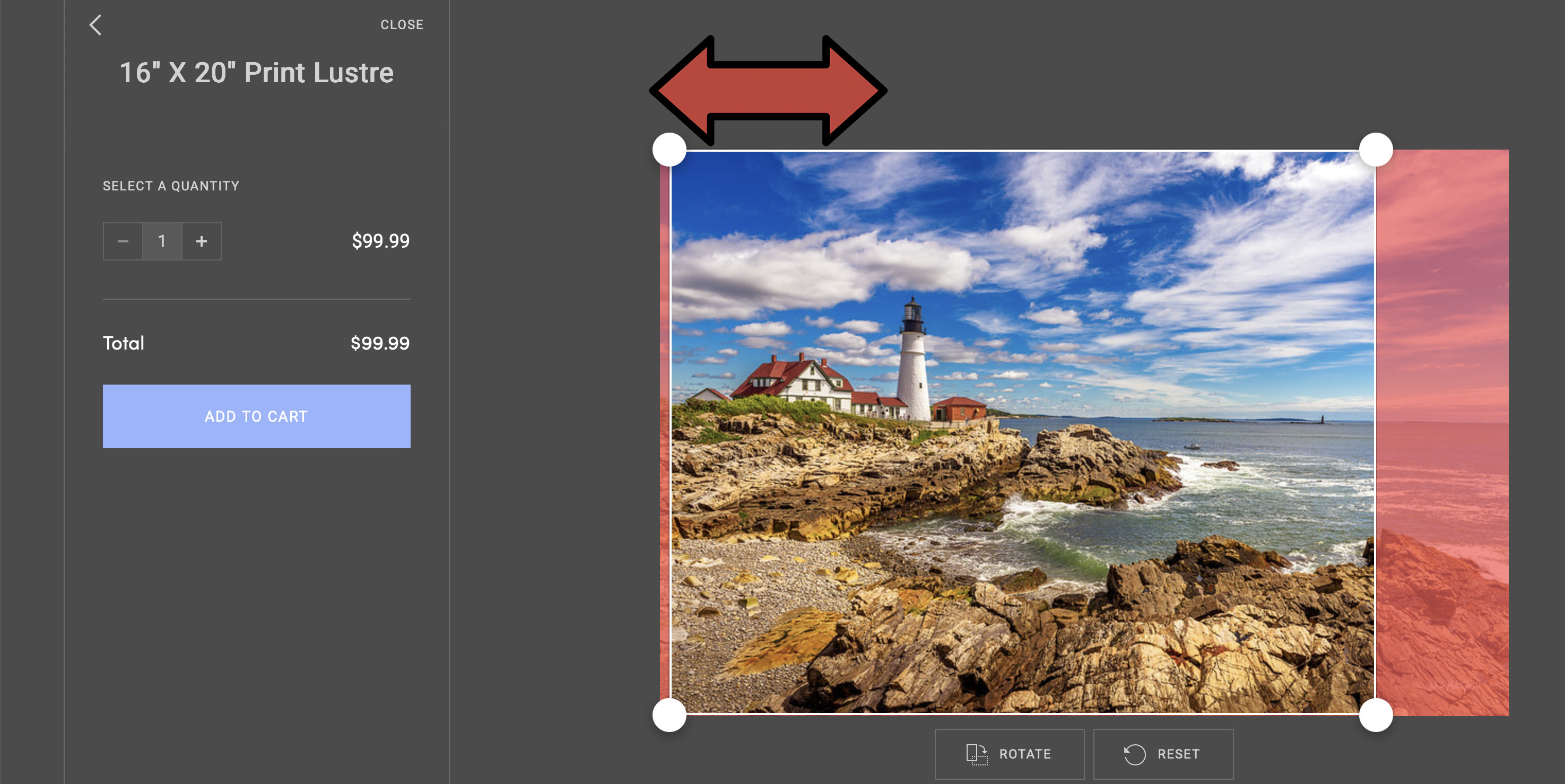
Adjust where your crop will be placed. Your order starts with the crop being centered, but you can drag one of the anchor points to move the crop to the right or left (or up and down on portait prints). Position the crop where you want it to be made. Keep in mind that when you have your print matted, a small amount of your print will be hidden under the mat, so leave a litte extra space.
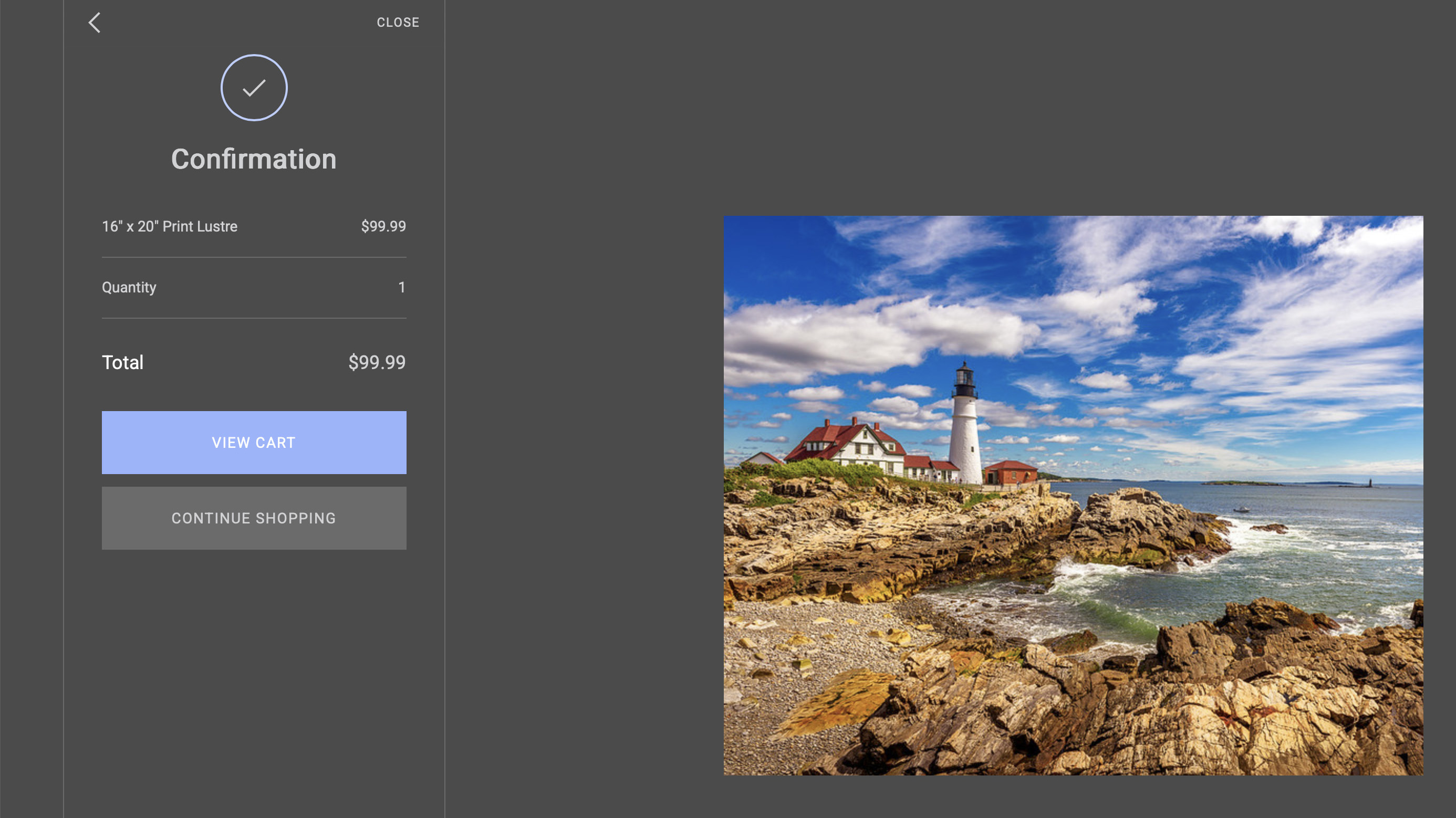
When you have finished selecting your print size and paper, and have adjusted your crop if needed, you will be shown a confirmation page that displays your print size, paper type, quantity, price, and an image of your cropped photo as it will be printed. If everything looks good, you can either continue shopping or go to your shopping cart to check out.
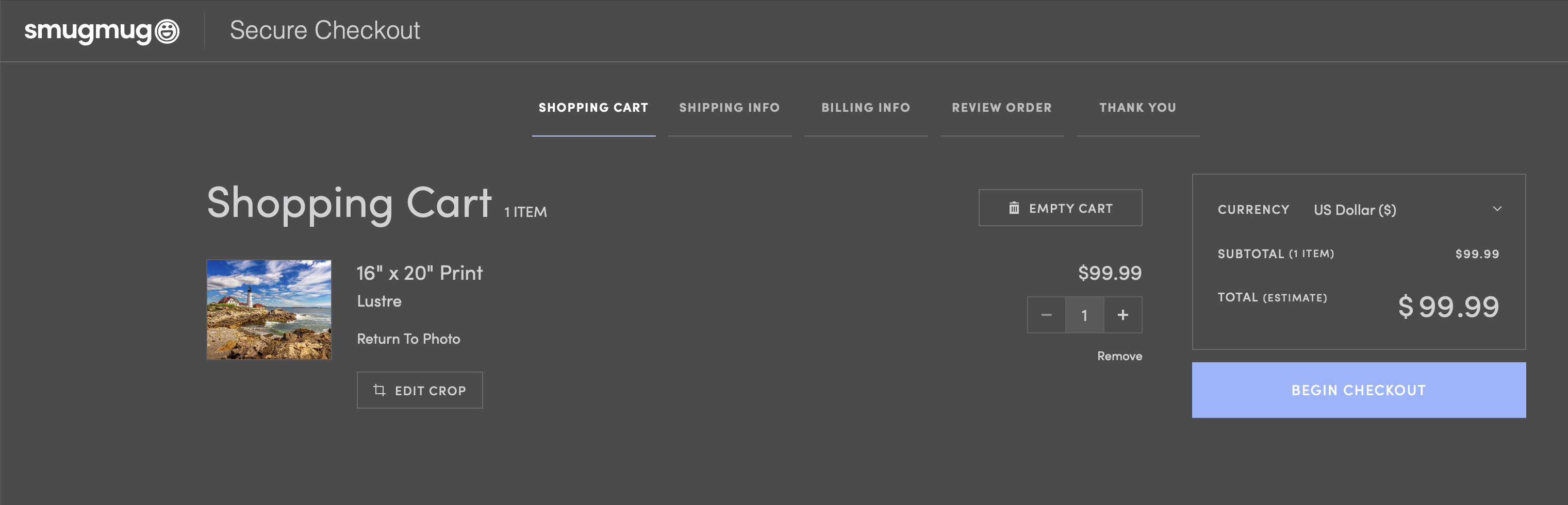
In your Shopping Cart, you will see all of the print orders in your cart with the print size, paper, a view of your final cropped photo, quantity, and the price. You have the option to empty your cart or remove individual items. If everything looks correct, click on "Begin Checkout."
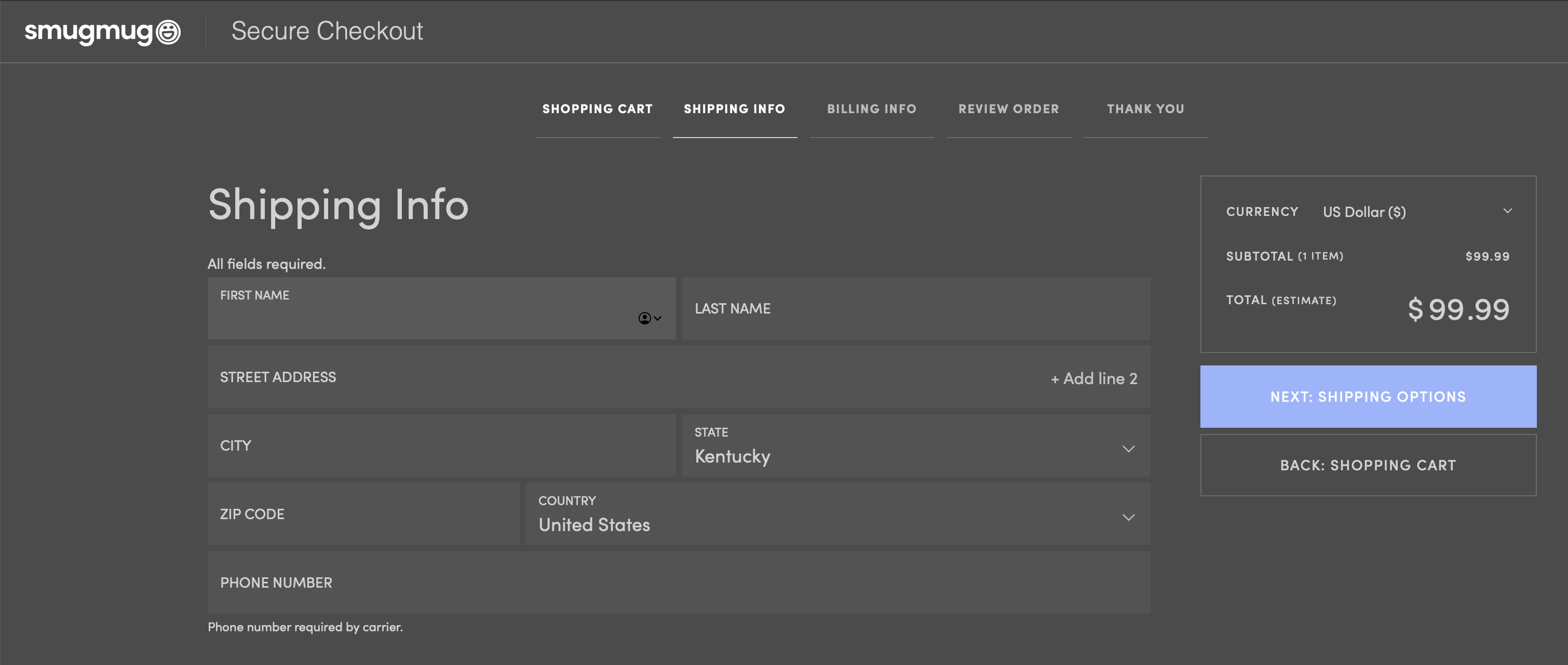
Enter the full correct address for where you would like your order shipped.
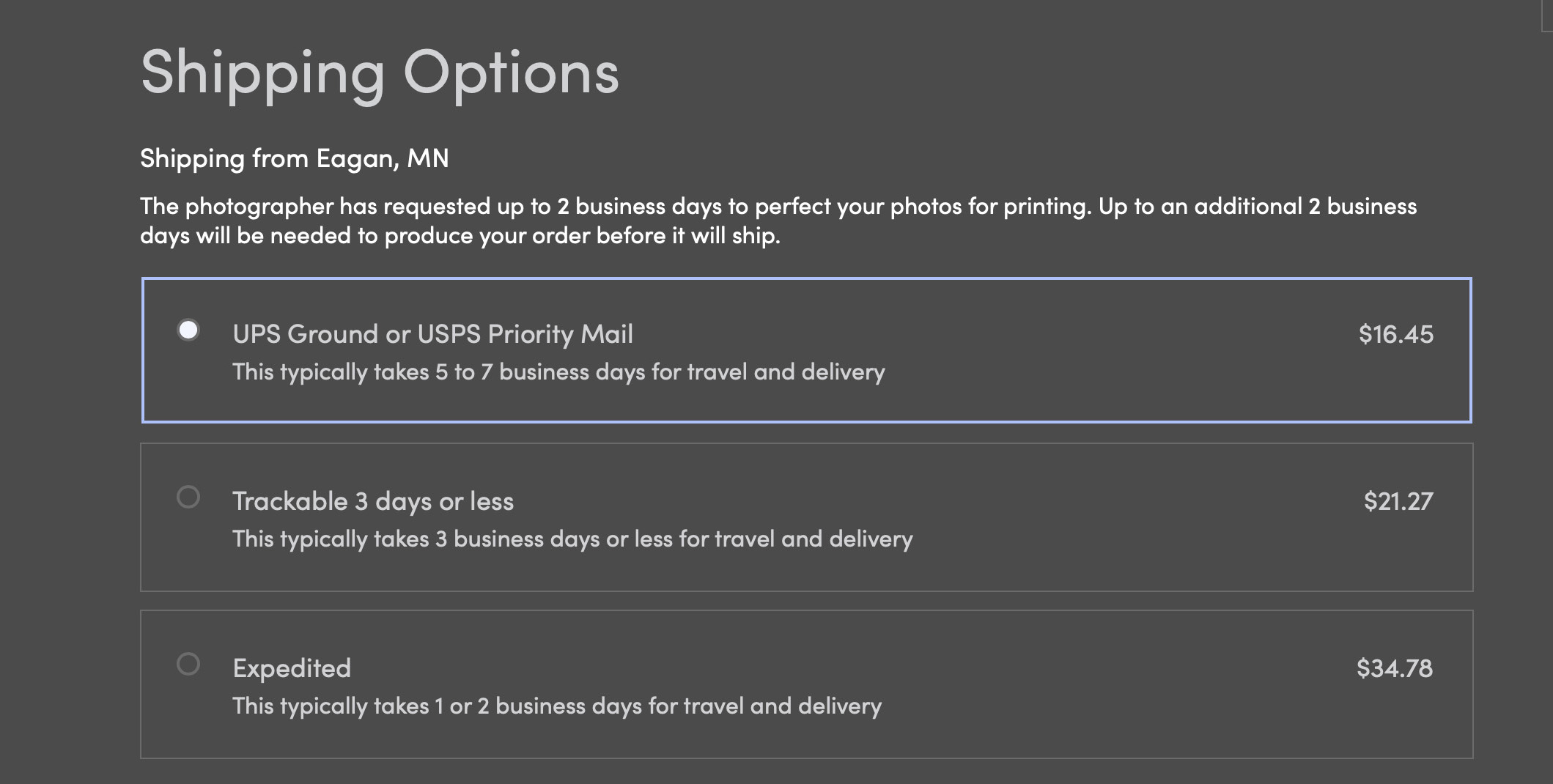
Your print order will ship from Eagan, Minnesota. There will be up to a two-day delay in preparing your order for us to review and approve it (to make sure there are no glaring ordering errors), but unless we are traveling we normally review orders within a few hours. You can pick from multiple shipping options at various prices.
Enter your billing and payment information to complete your order. Thanks for ordering!
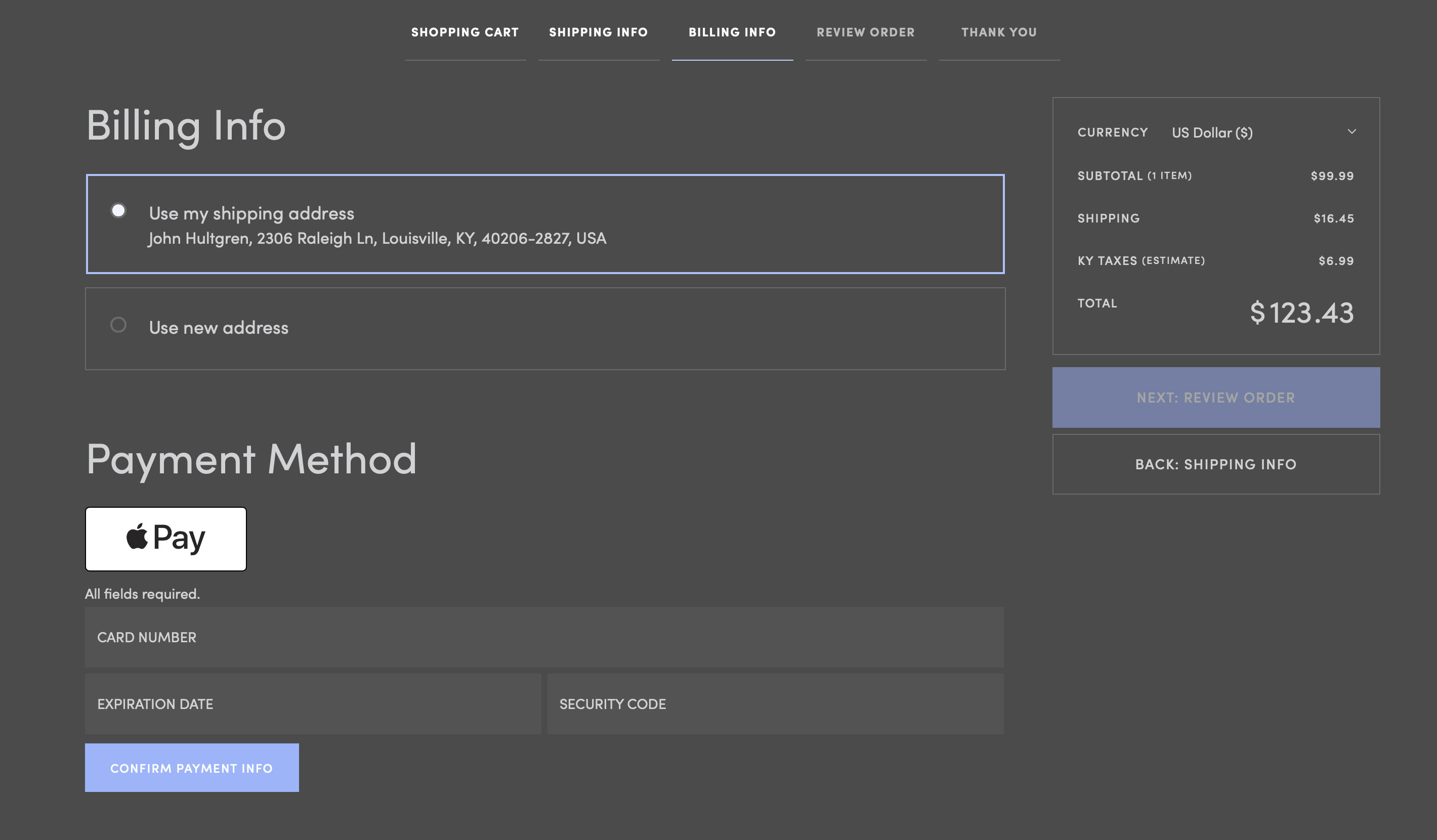
Your order is being processed by Smugmug and printed and shipped by White House Custom Colour, and not by John Hultgren Photography. We do not receive your payment information and we do not process the charge, so we are unable to issue a refund to your credit card and all refund or replacement requests need to go through Smugmug. This limits the number of people who have access to your credit card information. If you experience any problems, please don't hesitate to let us know and we will try our best to help you resolve it.
Thank you for shopping with us. We really appreciate your business and we hope you enjoy your photographic print!